GTA: San Andreas – NETFLIX
Screenshots
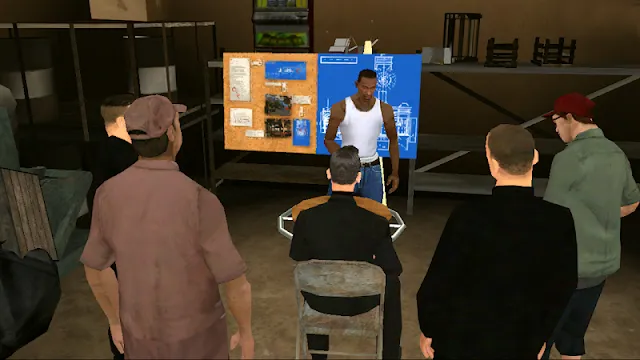
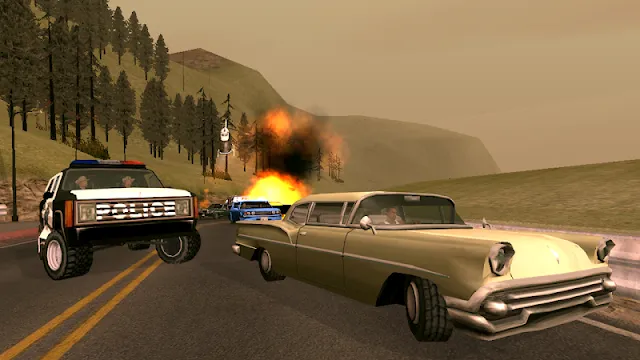
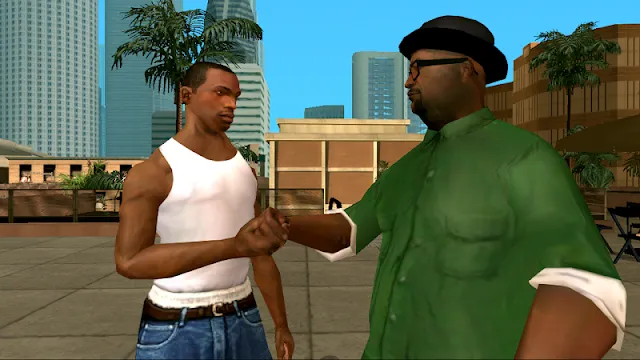
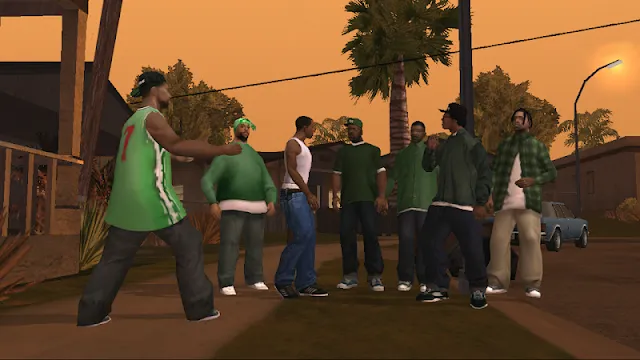
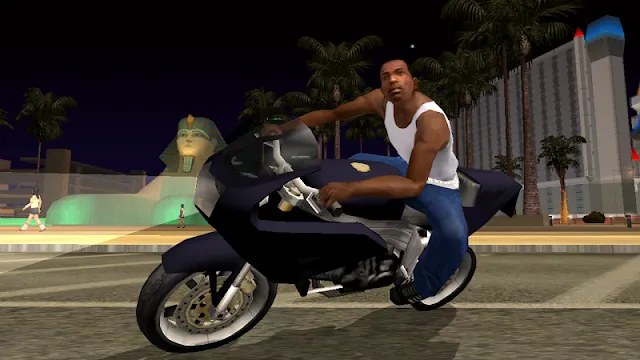

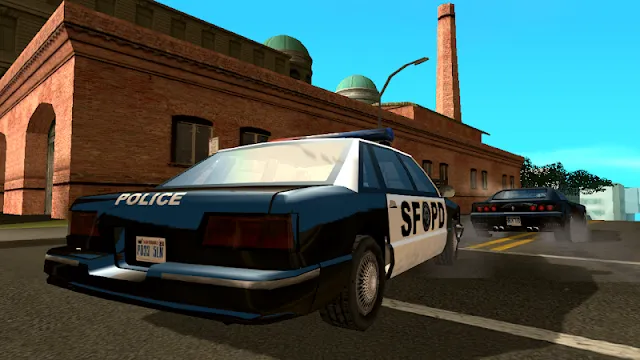
GTA: San Andreas – NETFLIX is a remastered version of the classic open-world action game. It specifically targets mobile players who have an active Netflix subscription. This edition allows you to step back into the shoes of Carl “CJ” Johnson as he navigates the fictional state of San Andreas.
The game remains a cultural icon. However, this specific version modernizes the experience for modern smartphones and tablets. It provides a premium way to play one of the most successful titles in gaming history without extra costs.
What Is the Netflix Version of GTA: San Andreas?
Grand Theft Auto: San Andreas – NETFLIX is a remastered version of the classic open-world game. While the original story remains the same, this specific edition is tailored for mobile devices. It is not a brand-new title created from scratch. Instead, it serves as an enhanced port of the 2014 mobile release.
Netflix launched this version in December 2023. It arrived as part of the “Grand Theft Auto: The Trilogy – The Definitive Edition.” Unlike previous versions, this one is exclusive to active Netflix subscribe
How to Download and Install GTA: San Andreas – NETFLIX APK for Android
Grand Theft Auto: San Andreas is now available for Netflix subscribers. You can enjoy this classic game on your Android device without extra costs or ads. This guide explains the steps to get the game running smoothly.
Prerequisites Before You Start
Before you begin the download, ensure your device meets these requirements:
- Active Subscription: You must have a valid Netflix plan.
- Storage Space: The game file is large. Clear at least 10 GB of space.
- Android Version: Your phone needs Android 11.0 or later.
- Internet Connection: Use Wi-Fi for a faster and more stable download.
Step 1: Prepare Your Device for Installation
Android devices block installations from unknown sources by default. You must change this setting before you begin.
- Open your phone Settings.
- Navigate to Security or Privacy.
- Look for the option labeled Install Unknown Apps.
- Select your preferred web browser.
- Toggle the switch to Allow.
Step 2: Download the GTA: San Andreas – NETFLIX APK File
Now you are ready to get the file. Ensure your internet connection is stable to avoid corrupting the download.
- Open your mobile browser.
- Visit Filetomob.com.
- Search “GTA: San Andreas – NETFLIX APK Download”.
- Select the Game page.
- Click the Download APK button.
- Wait for the notification that the file transfer is complete.
Step 3: Install the Game
Once the download finishes, you can start the installation. This process takes only a few minutes.
- Open your File Manager app.
- Navigate to the Downloads folder.
- Locate the GTA: San Andreas – NETFLIX APK file.
- Tap the file to start the setup.
- A prompt will appear asking if you want to install the application.
- Select Install and wait a few moments.
Step 4: Launch and Verify
After the installation completes, the game icon appears on your home screen.
- Tap the icon to open the game.
- The application will prompt you to log in.
- Enter your Netflix account credentials to verify your active subscription.
- The game will then verify your data and start the main menu.
Get Started with GTA: San Andreas – NETFLIX For Android After Installation
You have installed the game. You see the icon on your screen. Now what? Grand Theft Auto: San Andreas is a massive world. This version from Netflix works differently than the old console game. This guide covers the first steps you should take after installation. We will focus on settings, controls, and early gameplay tips.
Check Your Game Settings First
Do not start the story immediately. Good settings make a huge difference. Open the pause menu. Go to Options. Look for Controls and Graphics.
- Adjust Graphics: If the game feels slow, lower the resolution. If your phone is powerful, increase the draw distance. This allows you to see farther down the road .
- Customize Controls: The touch screen layout is customizable. Move the buttons to spots that feel natural for your thumbs.
- Enable Subtitles: The dialogue in San Andreas is iconic. Turn on subtitles so you never miss a line.
Master the Mobile Controls
Playing without a physical controller on glass is the biggest challenge. However, the Netflix version includes specific touch features.
On Foot:
- Use your left thumb to move CJ.
- Drag the right side of the screen to move the camera.
- Zoom Trick: Use two fingers to pinch the screen. You can zoom out to see more of the street or zoom in for precision aiming .
Driving:
- Steering defaults to tilt controls or on-screen arrows. Try both options in the menu to see which you prefer.
- The handbrake button is your best friend for sharp turns.
Pro Tip: This game supports Bluetooth controllers. If touch controls frustrate you, connect a PlayStation or Xbox controller. The button layout matches the classic console experience perfectly .
Sign In and Verify Your Account
This is not a standalone app. It is tied to your Netflix membership. When you open the game, it will ask you to select your Netflix profile. You must have an active subscription. After selection, the game verifies the license and loads the main menu.
Important: If the app crashes immediately, check your Android version. This game performs best on Android 11 or higher with a capable processor .
Start a New Game and Save Immediately
Watch the opening cutscene. It sets the stage for CJ’s return to Los Santos. As soon as you gain control of CJ on the bicycle, pause the game.
- Navigate to the Game tab in the pause menu.
- Select Save Game.
- Choose an empty slot.
Do this often. The mobile version relies on manual saves or checkpoint saves. Do not rely solely on the auto-save feature during missions. Creating multiple save files is a safe habit .
Learn the Early Map Markers
After the first mission, the city opens up. Pay attention to the radar in the corner. The icons guide you.
- CJ Icon: This is a safe house. Go here to save progress and change clothes.
- S Icon: This is a mission marker. Go here to advance the story.
- Red Markers: These are challenges or side activities.
Before doing the second mission, explore the neighborhood. Ride the bike around. Getting familiar with the physics now prevents crashes later when time is critical.
Explore the Definitive Edition Differences
This version includes visual upgrades. You will notice improved shadows and car reflections. The color palette is more vibrant than the original release. More importantly, the targeting system is updated. You can switch between free aim and lock-on assist in the menu. Experiment with both to find your preferred shooting style for drive-bys and gang wars.
Troubleshooting Common Issues
Sometimes the game stutters right after installation. This is normal. The game often loads additional assets in the background during the first few minutes of play.
- Lag: Close other background apps. GTA is demanding on mobile hardware .
- Login Loop: If you cannot get past the Netflix profile screen, clear the app cache in Android Settings and try again.
Your First Mission: Big Smoke
Get back on the bike. Follow the yellow blip. This is your introduction to driving and dialogue. Pay attention to the driving mechanics here. The speed and weight of vehicles feel authentic. Once you complete this, the city truly belongs to you.
Enjoy the journey back to the 90s. Los Santos is waiting.
GTA: San Andreas – NETFLIX for Android: Gameplay & Features
The classic open-world masterpiece is back. This mobile version, exclusive to Netflix members, updates the legendary journey of Carl “CJ” Johnson for modern smartphones.
Story & Open World
The game takes you back to the early 1990s. CJ returns home to Los Santos after his mother’s murder. You must lead him through a massive state divided into three iconic cities:
- Los Santos: A sun-drenched city filled with gang rivalries and Hollywood glamour.
- San Fierro: A foggy, hilly urban sprawl based on San Francisco.
- Las Venturas: The neon-lit desert oasis inspired by Las Vegas.
The narrative explores loyalty, betrayal, and the rise of the Grove Street Families.
Controls on Touchscreen
This version prioritizes player comfort. You can interact with the world using intuitive touch gestures.
- Customizable Layout: Move and resize buttons to fit your grip.
- Contextual Buttons: On-screen icons change based on whether you are walking, driving, or fighting.
- Controller Support: For a console-like experience, pair your Xbox or PlayStation controller via Bluetooth. Physical sticks offer much higher precision during high-speed chases.
Graphics & Performance
The Netflix Edition features several visual upgrades over the original mobile release.
- Improved Lighting: The “Definitive Edition” style introduces better shadows and realistic sunlight.
- Enhanced Draw Distance: You can see the city skyline from much further away.
- Frame Rate: Newer Android devices can toggle between 30fps and 60fps. High frame rates make combat feel significantly smoother.
Cloud Saves
Progress follows you everywhere. Because the game links to your Netflix account, your save files upload to the cloud automatically. You can start a mission on your Android phone and finish it on a tablet later.
Mission Walkthrough Highlights
Completing missions on a touchscreen requires specific tactics. Use these tips to overcome the hardest challenges.
Surviving Difficult Missions
Some missions are notorious for their difficulty on mobile devices:
- Wrong Side of the Tracks: Big Smoke needs a clear line of sight. Drive slightly to the right of the tracks. This gives him a better angle to shoot the Vagos members on top of the train.
- Supply Lines: Controlling the RC plane is tricky. Avoid holding the accelerate button constantly. Glide as much as possible to save fuel and maintain steady aim.
Learning to Fly School
The flight school in the desert is a major hurdle.
- Use a Controller: If possible, use a physical controller for the “Circle the Airstrip” tasks.
- Adjust Sensitivity: Lower your look sensitivity in the settings to prevent over-steering.
- Watch the Horizon: Keep the plane level with the horizon line to stay stable during turns.
Early Game Tips: Money and Gang Wars
You need resources to survive the streets of Los Santos.
- Firefighter Missions: Complete these early. Not only do they reward you with cash, but they also make CJ fireproof.
- The Burglary Van: Find the Black Rumpo van near the gym. Nighttime robberies are an easy way to build a bankroll without starting a war.
- Territory Control: Before leaving Los Santos for the first time, take over several territories. This provides a steady passive income at CJ’s house.
GTA: San Andreas Netflix Edition: What’s Different on Android?
Grand Theft Auto: San Andreas is back on mobile through Netflix. This version updates the classic 1992-set adventure for modern Android devices. While the core story of CJ and Grove Street remains the same, several technical and mechanical changes alter the experience.
Full Access Without Extra Costs
The biggest change involves the payment model. Unlike previous mobile releases, this version requires a Netflix subscription. Consequently, the game features no in-app purchases. You gain access to every piece of content immediately. You do not need to spend extra money to unlock items or progress through the story.
The Return of Cheat Codes
Fans will be happy to know that cheat codes still work in this edition. You can enter classic codes to gain weapons, health, or vehicles. However, the game imposes some restrictions. Certain cheats may be disabled during specific story missions to prevent glitches or broken objectives.
Changes to the Soundtrack
Music defines the atmosphere of San Andreas, but licensing laws have forced some changes. Several songs from the original 2004 release are missing.
Affected Radio Stations:
- Playback FM: Lost several classic hip-hop tracks.
- K-DST: Removed some iconic classic rock hits.
- Radio Los Santos: Missing specific West Coast anthems.
- Radio X: Some alternative tracks are no longer available.
A Cleaner User Interface
The developers redesigned the UI to be less intrusive than the 2014 mobile port. The buttons are sleeker and take up less screen space. This change allows you to focus more on the environment and the action rather than bulky on-screen controls.
New Quality of Life Improvements
This version focuses on reducing player frustration. Modern mechanics make the gameplay feel much smoother than the original title.
- Mission Restart Option: You no longer have to drive back to the mission start point from the hospital or police station. If you fail, you can retry instantly.
- Improved Checkpoints: The game now places checkpoints within long missions. You won’t lose all your progress if you fail near the end of a task.
- Auto-Save: The app saves your progress automatically after you complete a mission. This adds an extra layer of security for your save data.
- Zoomable Minimap: You can now zoom in and out of the minimap. This helps with navigation in the dense streets of Los Santos or the wide deserts of Las Venturas.
Visual Enhancements
Beyond the mechanics, the “Definitive Edition” features updated lighting and textures. The game utilizes a “Classic Lighting” toggle in the settings. This allows you to choose between modern visuals or a look that mimics the hazy, orange sky of the original PlayStation 2 version.
GTA: San Andreas – NETFLIX: Tips, Tricks & Hidden Secrets
The Netflix edition of GTA: San Andreas delivers the full classic experience to your Android device. While the touch controls work well, a few adjustments and insider knowledge can transform your gameplay. Here is a breakdown of essential performance tweaks and the game’s most intriguing mysteries.
Optimize Your Mobile Performance
Before you start a turf war in Los Santos, you should adjust your device settings. This ensures smooth frame rates and prevents overheating during long play sessions.
Use a controller for the best experience. The Definitive Edition supports Bluetooth controllers natively. This frees up screen space and gives you precise analog control for driving and shooting. Compatible controllers include:
- Xbox Wireless Controller
- PlayStation DualSense / DualShock 4
- Razer Kishi / Backbone One (USB-C)
- 8BitDo Pro 2
Save often – very often. This version includes cloud saves linked to your Netflix profile. However, you should not rely solely on the cloud. Make a manual save in a new slot before difficult missions or after finding rare vehicles. Cheat codes can sometimes block achievements or corrupt mission logic, so a clean save file acts as a safety net.
Adjust graphics if you see frame drops. If your phone gets hot or the game stutters during explosions, open Settings > Graphics. Lower the resolution scaling or draw distance. This simple step stabilizes the frame rate without ruining the visual upgrade.
Disable Battery Saver Mode. Android’s battery optimization aggressively limits CPU performance. This causes severe lag in San Andreas. Keep your phone plugged in or switch to “Performance Mode” (if available) while playing.
Hidden Secrets & Easter Eggs on Mobile
The mobile port preserves all the weird and wonderful secrets from the 2004 original. Here is a closer look at the myths and the confirmed locations you can visit right now.
Jetpack Location (Area 69)
You can acquire the Jetpack long before the story mission “Black Project.” Travel to the Desert and approach Area 69 (the restricted military base). The Jetpack spawns inside the underground research lab.
- Method 1 (Legit): Fight your way inside the vent shaft on the main building. Use a Minigun to clear the soldiers guarding the lower level.
- Method 2 (Cheat): Pause the game, go to Options > Accessibility > Enter Cheat Code. Input the following sequence on a controller: L1, L2, R1, R2, Up, Down, Left, Right. CJ will instantly equip the Jetpack.
Unique Stunt Jumps
There are 70 Unique Stunt Jumps scattered across San Andreas. They do not count toward 100% completion, but each one rewards you with a cash bonus. Look for specific ramps and broken railings that trigger a cinematic slow-motion camera.
- Los Santos: Check the drainage canals near Commerce and the staircases behind the Conference Center.
- San Fierro: Find the ramps inside the Crack Factory in Doherty and the concrete blocks at Easter Bay Airport.
- Desert: Look for the dirt piles on the cliffs of The Panopticon.
Rare Vehicle Spawns
Some of the coolest cars only appear in specific places or after certain events. If you see one, grab it and store it in a garage immediately.
- Hotknife: This hot rod does not spawn on the street. You must earn Gold medals in all tests at the Driving School in San Fierro. After you complete the final test, the car appears parked outside the school.
- Bloodring Banger: You can find this stock car near the Corvin Stadium in San Fierro after completing the Blood Bowl mission.
- Phoenix: This muscle car is notoriously rare. Search the parking lots of Downtown San Fierro or the impound lot behind the Police Headquarters.
Mythical Beasts: Do They Exist in This Version?
Players have hunted these legends for two decades. Here is the definitive status for the Netflix mobile version (which uses the same code base as the Definitive Edition):
- Bigfoot: Unconfirmed / False. You can find a large footprint near Mount Chiliad, but Rockstar has officially stated that the creature itself does not exist in the game files. You will find plenty of fan mods online, but not in the official Netflix build.
- Leatherface: False. A specific pedestrian in the countryside wears a plaid shirt and carries a chainsaw. This is a tribute to the horror movie icon, but there is no unique “Leatherface” NPC boss or special cabin.
- Ghost Cars: True. Due to a physics glitch near the countryside hills, beaten-up cars (Glendales and Sadlers) sometimes spawn on slopes and roll down on their own. They look driverless but are just the game engine spawning them incorrectly.
GTA: San Andreas – NETFLIX: Cost and Value Guide
Grand Theft Auto: San Andreas is now on Netflix Games for Android. This version offers a “Definitive Edition” experience for mobile users. Before you download it, you should understand how the pricing works and if it offers true value.
Cost Breakdown: Netflix vs. Standalone
Netflix does not charge a separate fee for its games. However, you must pay for a monthly subscription to access the library.
- Monthly Subscription: Standard plans typically range from $6.99 to $22.99.
- The 3-Month Math: If you subscribe only to play GTA for three months, you will spend between $21 and $69.
- The Standalone Comparison: The classic standalone version of the game usually costs around $6.99 as a one-time purchase.
Consequently, subscribing solely for one game is more expensive than buying it individually. The real value appears when you explore the rest of the Netflix catalog. You save money if you also watch shows or play other premium titles like Hades or TMNT: Shredder’s Revenge.
Is There Any Hidden Cost?
Many mobile games rely on “freemium” models to make money. Fortunately, the Netflix version of GTA: San Andreas avoids these traps.
- No Microtransactions: You cannot buy extra currency, weapons, or skins with real money.
- No Advertisements: Your gameplay remains uninterrupted by commercial breaks.
- Complete Content: You get the full game experience without hitting “paywalls.”
Data Usage and Storage Warnings
While the game is “free” with your sub, it does require significant digital resources. Keep these technical details in mind to avoid unexpected data charges:
- Initial Download: The game requires roughly 3GB of space. Always use Wi-Fi for the first installation.
- License Verification: The app performs a quick online check about once a week. This uses roughly 1MB of data to verify your subscription status.
- Offline Play: You can play the game without an internet connection once the app verifies your account.
Final Value Verdict
The Netflix version provides a polished, ad-free experience. If you are already a Netflix subscriber, this adds massive value to your existing plan. However, if you have no interest in movies or other games, purchasing the standalone version remains the cheaper long-term choice.
GTA: San Andreas – NETFLIX For Android: Regional Availability & Language Support
Grand Theft Auto: San Andreas – The Definitive Edition has officially joined the Netflix Games library. This mobile version allows subscribers to revisit the streets of Los Santos on their Android devices at no extra cost.
However, your experience may vary depending on where you live and which language you prefer. Here is everything you need to know about regional availability and language settings.
Where Can You Play?
Netflix has released the game globally, but some geographic restrictions still apply. Because Netflix does not operate in every territory, certain players cannot access the title.
- Available Regions: You can download the game in most countries where Netflix services are active, including North America, Europe, and most of Asia.
- Excluded Regions: Currently, the game is unavailable in China, North Korea, Russia, and Syria.
- Download Performance: Some users report slower download speeds in specific regions. This usually happens because of local Content Delivery Network (CDN) issues rather than the app itself.
Supported Languages
The Netflix version includes a wide variety of audio and text options. This allows players to customize their experience to fit their needs.
Voice Acting (Audio)
The game features full voice acting in the following languages:
- English
- French
- German
- Spanish
- Italian
- Japanese
Text and Subtitles
If you need subtitles or translated menus, the game supports several additional languages:
- All audio languages listed above
- Korean
- Simplified and Traditional Chinese
- Portuguese
- Russian
- Polish
How to Change Your Language Settings
You can adjust the language in two different ways on your Android device.
Method 1: In-Game Settings
- Open the Pause Menu while playing.
- Navigate to the Options tab.
- Select Language.
- Choose your preferred text and audio settings.
Method 2: Android System Settings
The game often defaults to the language set on your smartphone. If you want the game to switch automatically, change your phone’s primary language:
- Open your phone’s Settings.
- Go to System or General Management.
- Tap on Languages.
- Move your preferred language to the top of the list.
By following these steps, you ensure the best possible experience as you explore the classic world of San Andreas.
GTA: San Andreas – NETFLIX: Complete Mission Walkthrough Highlights
Conquering GTA: San Andreas – NETFLIX on Android requires patience and precision. The mobile port introduces specific challenges due to touch interface limitations. This guide highlights how to master the toughest missions and maximize your progress through side activities.
Mastering “Wrong Side of the Tracks”
This mission is famous for Big Smoke’s frustration. Most players fail because they ride too close to the train.
- Maintain Distance: Drive on the far right side of the opposite track. If you are too close, Big Smoke hits the side of the train instead of the Vagos members.
- Match the Speed: Keep a steady pace. Do not speed ahead or fall behind.
- Use the Dirt Path: Early in the chase, a dirt path appears on the right. Stay on this higher ground to give Smoke a better angle for his shots.
- Listen to the Script: If you hear “All we had to do was follow the damn train, CJ,” you were likely positioned too close to the carriages.
Tips for “Learning to Fly”
The Flight School missions are notoriously difficult on mobile. Touch controls often lack the nuance needed for smooth banking and landing.
Use a Controller
Touch icons for rudders and pitch can feel clunky. Connect a Bluetooth controller to your Android device for this segment. Physical joysticks provide the sensitivity required to earn Gold medals.
Manage Your Speed
If you must use touch controls, tap the buttons rather than holding them. This prevents the plane from over-correcting. Keep your landing gear retracted until the final approach to maintain steady aerodynamics.
“End of the Line”: Final Mission Strategy
The finale is a long, multi-stage battle. Preparation is the key to surviving the Los Santos riots.
- Max Out Your Stats: Ensure your health and armor bars are at maximum capacity before starting.
- Bring the M4 and Combat Shotgun: These weapons offer the best balance of range and power for the indoor segments of the crack palace.
- Night Vision Usage: Use the goggles provided in the dark sections. They help you spot enemies before they drain your health.
- Protect Sweet: During the final car chase, focus entirely on the police cars and fire trucks. Do not let Sweet’s grip meter reach zero.
Best Side Missions on Android
Completing side missions provides permanent upgrades. These tasks are often easier to manage in short mobile sessions.
Vigilante
Grab a police vehicle or an FBI Rancher. Complete 12 levels to increase your maximum Armor by 50%. This bonus is essential for late-game gunfights.
Firefighter
Steal a fire truck and extinguish blazes across the city. Finishing Level 12 makes CJ Fireproof. You will no longer take damage from Molotovs or explosions.
Pimping
Drive the Broadway vehicle and complete deliveries. Once finished, girls will actually pay you for your services. It provides a steady stream of passive income.
Taxi Driver
Complete 50 fares in total. You do not need to do them all at once. This unlock grants Nitro to every taxi in the game, making city travel much faster.
Frequently Asked Questions About GTA: San Andreas – NETFLIX for Android
What Is GTA: San Andreas – NETFLIX?
This is the full version of Grand Theft Auto: San Andreas. Specifically, it is the Definitive Edition optimized for mobile play. Netflix offers this title as part of your existing subscription. You do not pay extra money to download or play the game .
The release features several upgrades:
- Improved lighting and environmental effects
- High-resolution textures
- Increased draw distance so you see farther
- Controls modeled after Grand Theft Auto V
- A Classic Lighting mode that restores the original sky colors
You play as Carl “CJ” Johnson. The story takes you through Los Santos, San Fierro, and Las Venturas as you rebuild your family and take control of the streets.
Does This Version Look Different from the Console Release?
Yes. Many players note that the Netflix mobile port actually looks closer to the original PlayStation 2 atmosphere. Rockstar added a new Classic Lighting mode specifically for this version. This setting restores the nostalgic sky gradients and color palette that fans remember.
The Netflix port maintains the gritty, sun-bleached feel of San Andreas while adding modern lighting touches. Shadows appear sharper, and reflections look cleaner without losing the 90s aesthetic.
How Do I Change the Camera View on Mobile?
Since you play on a touchscreen, the camera controls work differently than on a console.
- To zoom out: Pinch two fingers together on the screen.
- To zoom in: Spread two fingers apart.
- To look behind CJ: Tap and hold the area behind your character.
These gestures function whether you walk on foot or drive a vehicle. Practice the pinch gestures a few times. Once you build muscle memory, adjusting your view becomes second nature.
Do Cheat Codes Work in the Netflix Version?
Yes. Most classic cheat codes from the original game remain functional. The Netflix Definitive Edition preserves the core code structure.
You enter cheats through the virtual keyboard:
- Pause the game.
- Go to Settings.
- Select Accessibility.
- Choose Enter Cheat Code.
Can I Use a Bluetooth Controller?
Yes. The game supports external controllers including PlayStation and Xbox models via Bluetooth. Simply pair your controller with your Android device before launching the game. Once connected, you can input classic button combinations just as you would on a console.
Controller support makes driving and combat sequences feel more precise. The touch controls work well, but a physical gamepad provides a more familiar experience for veteran players.
Does My Progress Save Across Devices?
This depends on the type of save data. The Netflix version of GTA: San Andreas stores progress locally on your device. Cloud save functionality varies by title.
If you uninstall the game, you will lose your local save data. Therefore, always complete your current mission before removing the app. Some Netflix games support cloud backups, but you should confirm in the settings menu whether this specific title saves your progress online.
Recommendation: Do not delete the game mid-playthrough unless you back up your device data first.
What Are the Known Performance Issues?
User reviews highlight a few recurring technical concerns:
- Texture pop-in: Roads and buildings sometimes load slowly when driving at high speeds.
- Resolution resets: The display settings may revert to default after you exit the game.
- Control mode conflicts: The driving control scheme does not always switch properly when entering a helicopter.
Performance varies based on your device hardware. High-end tablets handle the game more smoothly than budget smartphones. If you experience lag, try closing background apps or lowering the graphics settings within the game menu.
How Much Storage Space Do I Need?
The initial APK download measures approximately 220 MB. However, the full installation requires an additional 6.4 GB of free space on your device.
Make sure you have at least 7 GB available before starting the download. A stable Wi-Fi connection helps avoid interruptions during the large data package installation.
Is This Game Free with Any Netflix Plan?
Yes. All Netflix subscription tiers include access to the mobile games catalog. There are no in-app advertisements or microtransactions. You pay nothing beyond your monthly Netflix membership.